ZRframe
A photo editor for tuning color with looks, curves, and color balance, then finishing with a frame that shows your camera, lens, and exposure. On iPhone, iPad, and Mac.
On color you've shaped with care, quietly write down that day's camera, lens, and exposure — so a single memory feels complete. ZRframe brings color grading, camera-info frames, and date stamps together in one editor.
Features
Set the direction of your color with 21 looks and dial in the strength. You can import your own .cube LUTs, too.
Refine color with an RGB tone curve and color balance for shadows, midtones, and highlights.
From exposure, contrast, saturation, and temperature to split toning, sharpness, and vignette — one slider at a time.
Add a film-like texture. The grain in your saved photo matches what you see in the preview.
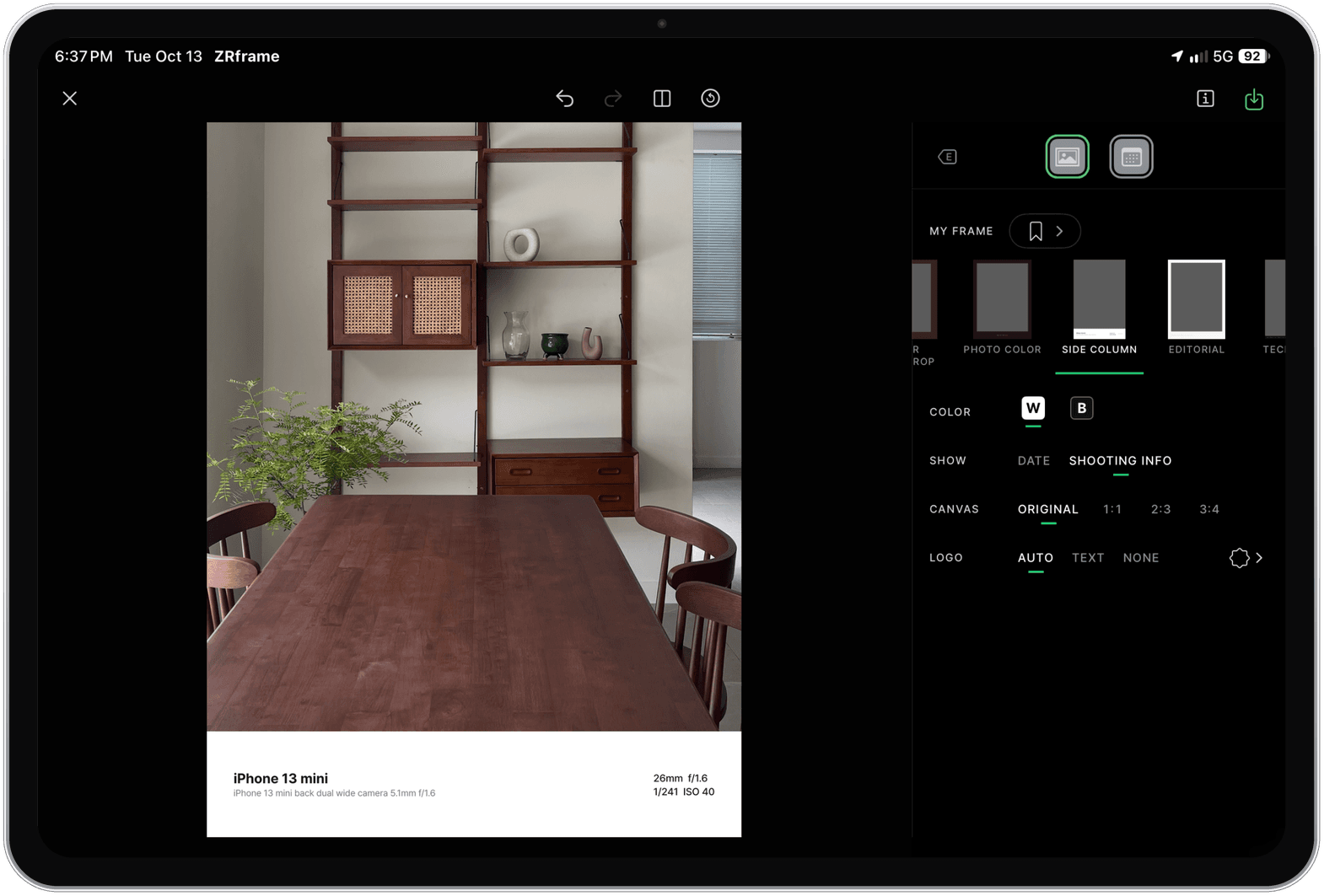
Print the camera, lens, and exposure stored in your photo onto a frame. Fill in or fix the info yourself, and keep combinations you like as My Frame.
Imprint the date in the corner like a film camera. Choose the color and the order (Y/M/D · M/D/Y · D/M/Y).
Crop to a ratio, straighten the horizon, and correct perspective by moving all four corners freely.
Pick up to 20 photos and flip through them as you edit. Apply a frame and date stamp to all, then save them all at once.
Give videos up to 3 minutes the same looks, frames, and date stamps, and trim the start and end.
Works on the big iPad screen and on Macs with Apple silicon. On iPhone Duo it sits centered on the outer screen and spreads out like iPad when unfolded.
Save at the original resolution as JPEG, HEIC, or PNG.
With both apps up to date, look packs you bought and secret looks you earned in ZRcamera unlock in ZRframe — and packs bought in ZRframe unlock in ZRcamera.
One purchase removes all ads and unlocks the seven PRO-only ZRF FILM looks. Look packs are sold separately from PRO.
Download · Learn more
Download it free on the App Store — the same iPhone and iPad app runs on Macs with Apple silicon. FAQs and contact details are on the ZRframe support page.