ZRcamera
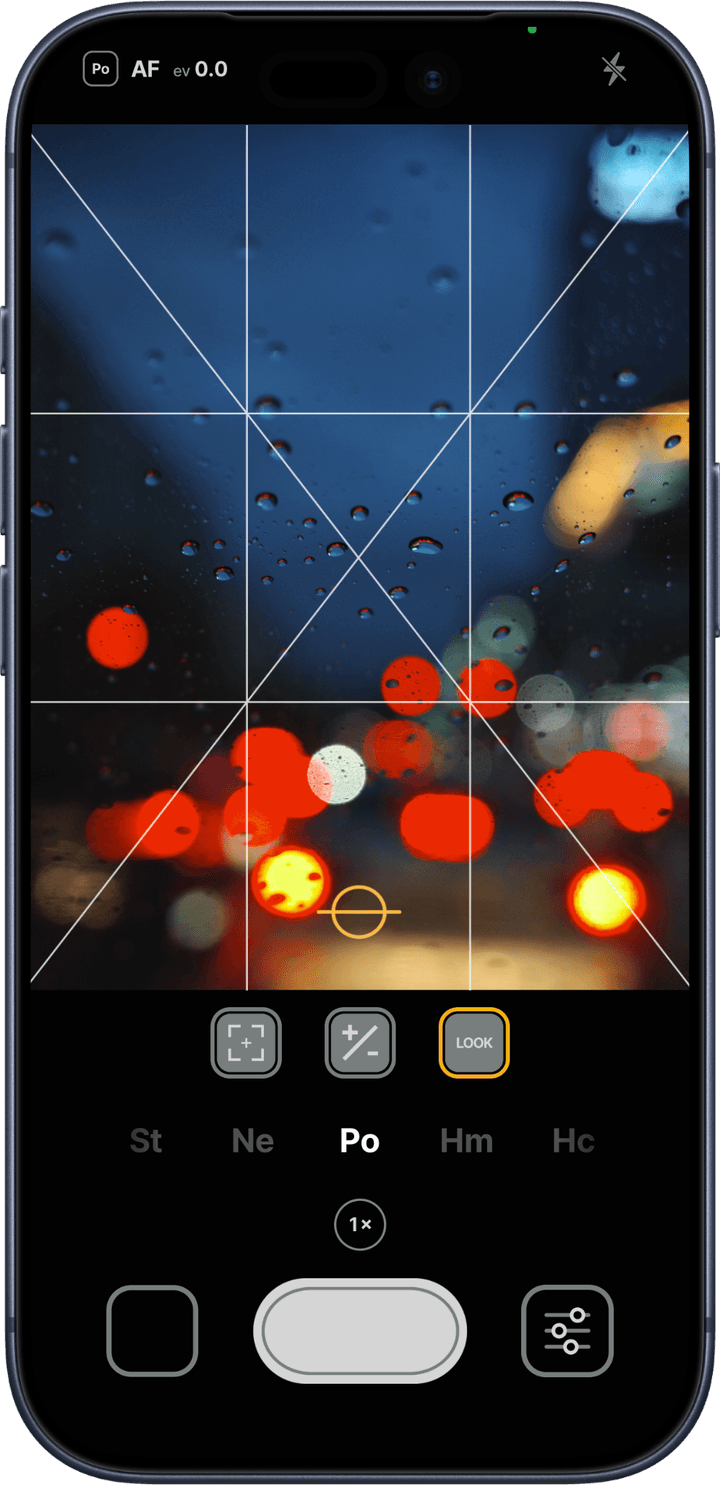
Forget complex settings — just focus on the joy of the moment. With carefully curated colors and a minimal user experience, ZRcamera makes capturing your daily life more delightful. We hope to share the pure joy of photography with everyone.
Features
Film-simulation looks crafted by the team, applied live in the preview before you shoot.
Dial the strength of each look up or down as much as you like.
Bring in your own .cube files and shoot with colors that are entirely yours.
Switch between AF and MF, and long-press the preview to lock focus (AF-L).
Fine-tune brightness with the EV dial.
Frame your shot in three ratios: 1:1, 3:2, and 4:3.
A 3×3 grid and a level help you keep the composition straight.
Flash auto/on/off, and a 3s, 5s, or 10s timer.
View, delete, and share photos inside the app, sorted automatically into a “ZR” album.
Launch in one tap from the Lock Screen and Control Center on iOS 18 and later.
When on, the capture location is recorded in the photo. Off by default.
Legal
ZRcamera has no server, no account system, and no third-party SDKs. Its only internet access is reading a single announcement file at launch. See the privacy policy for details.